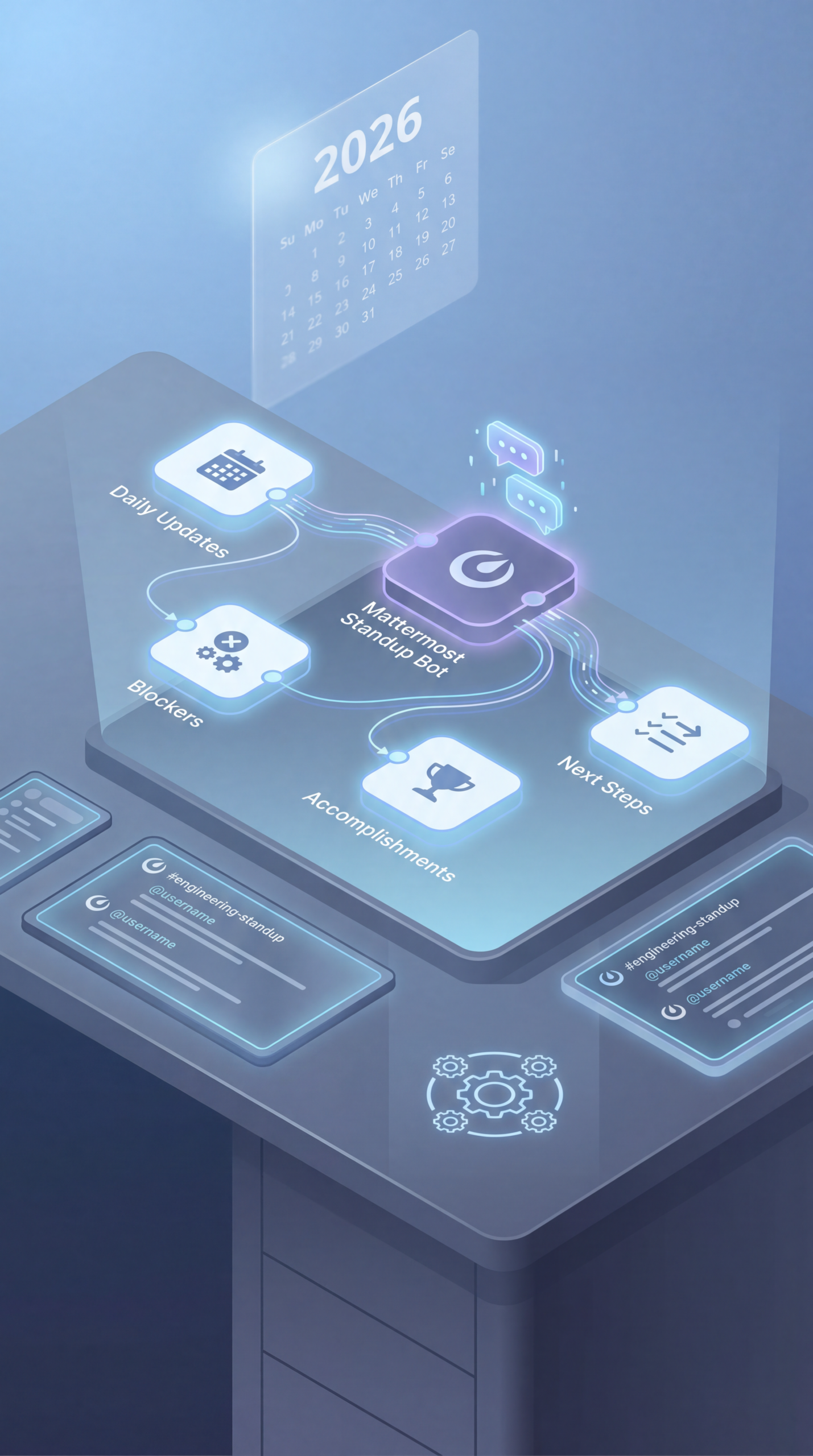
n8n Mattermost Standup Bot Workflow 2026
Streamlining Team Communication: Your Guide to a n8n Mattermost Standup Bot Workflow 2026
In today’s fast-paced work environment, staying aligned with team progress is crucial. Remote and hybrid teams especially benefit from efficient communication tools. One powerful solution is automating daily standup meetings using a workflow like the n8n Mattermost standup bot workflow 2026. This article delves into how to implement such a system, its benefits, potential pitfalls, and what you need to consider for successful integration into your team’s daily routine.
What is a Standup Bot and Why Use It?
A standup bot is an automated system that facilitates daily quick updates from team members within your team communication platform, typically Slack or Mattermost. It’s not meant to replace the human interaction of a standup, but to streamline the process, ensure everyone is informed, and reduce the overhead of manually logging updates. Utilizing a tool like n8n to build a n8n standup automation 2026, Mattermost bot workflow, daily standup automation n8n, team reporting automation, n8n webhook automation can save valuable time and keep everyone in the loop.
Building Your n8n Mattermost Standup Bot Workflow: A Step-by-Step Guide
Creating a robust and effective standup bot involves several key steps. Here’s a breakdown of a common workflow:
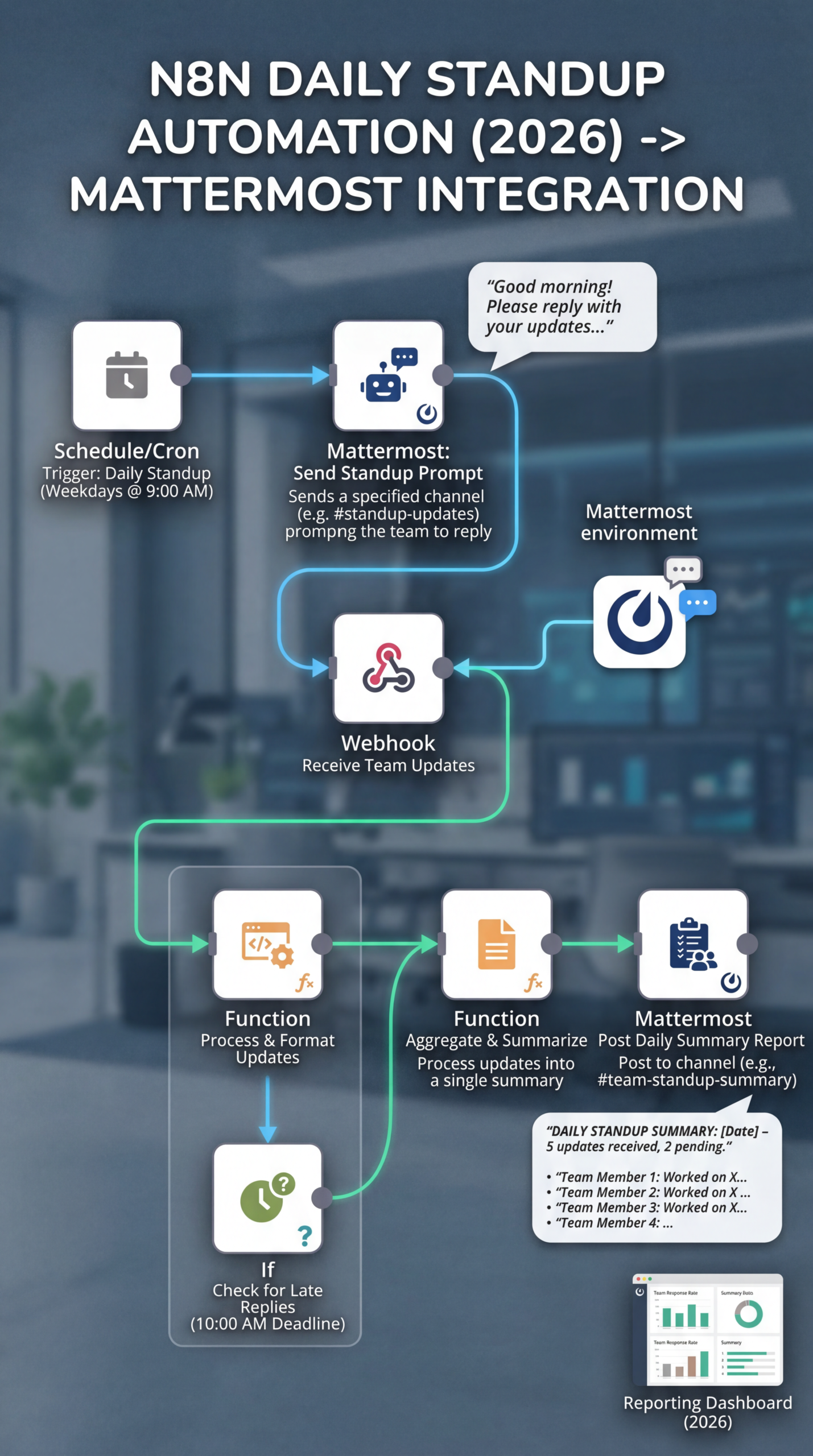
- Trigger: The workflow is triggered on a schedule – typically at the start of the workday. You can configure this in n8n using a cron expression.
- Fetching Team Member Updates: This is where the magic happens. The workflow sends a request to each team member in your Mattermost workspace, prompting them to submit their daily updates. This can be done using a Mattermost API request. Make sure your team members understand the expected format (e.g., using specific keywords like “Yesterday, I…”, “Today, I…”, “Blocked by…”).
- Data Processing: Parse the received updates. This often involves extracting key information like completed tasks, planned tasks, and blockers. Utilizing n8n’s built-in functions for string manipulation and data transformation is essential.
- Formatting the Output: Structure the individual updates into a concise and readable format for display in the Mattermost channel.
- Posting to Mattermost: Finally, use the Mattermost API to post the formatted updates to a designated channel.
Practical Experience & Real Use Case
Let’s imagine a small software development team using Mattermost. They’re tired of manually sending out daily standup reminders and collecting updates. They decide to implement an n8n Mattermost standup bot workflow 2026.
Initially, they faced a challenge: team members were providing inconsistent updates – some were too brief, others were overly detailed. The fix? They implemented clear guidelines and a standardized format for updates, which were then enforced through a simple validation step in the n8n workflow.
Another common pitfall is handling errors gracefully. If a team member doesn’t respond, the workflow should have a fallback mechanism – either sending a reminder or marking the update as “not provided.” This ensures no information is lost. Regularly reviewing the workflow logs in n8n to identify and resolve these issues is critical.
Limitations and Drawbacks
While incredibly useful, a n8n Mattermost standup bot workflow isn’t a silver bullet. One limitation is its reliance on team member participation. The bot can’t generate updates; it simply relays what’s provided. If team members are consistently neglecting to provide updates, the bot becomes ineffective. Another potential drawback is the initial setup time and the need for ongoing maintenance. The workflow needs to be monitored and adjusted as team needs evolve.
Comparing Automation Options
| Feature | n8n Mattermost Bot | Dedicated Standup Tools | Manual Standups |
|---|---|---|---|
| Automation Level | High | Medium to High | Low |
| Customization | Very High | Limited | High |
| Cost | Open Source (Hosting Cost) | Subscription-based | Time Investment |
| Integration | Flexible | Often limited | N/A |
| Setup Complexity | Moderate | Low | Very Low |
Is a Standup Bot the Right Choice for Your Team?
Consider these factors:
- Team Size: For larger teams, a standup bot can save significant time and improve communication.
- Communication Style: Teams that already embrace asynchronous communication will likely find a bot helpful.
- Technical Proficiency: Implementing and maintaining an n8n workflow requires some technical skill.
Quick Snippet Answer:
A n8n Mattermost standup bot workflow automates daily team updates by prompting members for their progress and sharing it in a dedicated channel. This saves time, keeps everyone informed, and promotes transparency within the team.
Frequently Asked Questions
How do I ensure my team consistently provides updates to the bot?
Clearly communicate the expected update format and importance. Consider a brief training session to demonstrate the process and address any questions or concerns.
Can the bot handle updates from multiple channels?
Yes, n8n workflows can be configured to pull updates from different channels within your Mattermost workspace.
What happens if a team member doesn’t respond to the bot?
You can set up a fallback mechanism, such as sending a reminder message or marking the update as “not provided.”
Is it possible to integrate this with other tools, like Jira or Trello?
Absolutely. n8n’s flexibility allows for easy integration with various project management and other business tools using their respective APIs. This opens up possibilities for even richer updates.
Conclusion
Implementing a n8n Mattermost standup bot workflow 2026 can significantly improve team communication and efficiency. By understanding the steps involved, potential challenges, and available options, you can tailor a solution that perfectly fits your team’s needs. If you’re looking to streamline your daily standup process, this approach offers a powerful and customizable solution.
Ready to refine your team’s workflow? Share your experiences with standup bots or ask any questions in the comments below! You might be interested in exploring how to integrate other tools with n8n for enhanced team collaboration.
Share this content:













Post Comment